
Features
Nine things the back bar needs from a register.
Everything a liquor store or bottle shop uses every day, from the age check at the counter to the supplier ledger in the back office. Each one has its own page with the settings, limits and plans.
All features
- No. 01
 Age and ID check promptsThe register stops and asks for a date of birth or ID scan before any age-restricted item can be sold.Open
 - No. 02
 Case and bottle pricingOne product, two units. Sell a case or a single bottle; stock always counts in bottles.Open
 - No. 03
 Mix-and-match case discountsAny 6 or 12 wines from the shelf get the case discount automatically, with the rules you choose.Open
 - No. 04
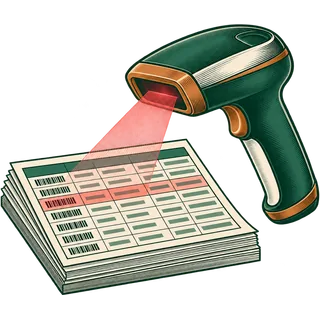 Barcode catalogue importBring 5,000+ SKUs in from a distributor file or your old POS export, UPCs and all.Open
 - No. 05
 Inventory by locationStock per store, transfers between stores, and adjustments with a reason on every one.Open
 - No. 06
 State alcohol rules, your waySwitches for age prompts, deposits, discounts and staff permissions, set to the rules of your own licence.Open
 - No. 07
 Purchasing and suppliersPurchase orders to distributors, receiving against invoices, and a running ledger per supplier.Open
 - No. 08
 Loyalty and gift cardsReward points on every receipt, customer accounts, and gift cards your regulars actually use.Open
 - No. 09
 Reports that close the dayEnd-of-day register totals, profit by category, slow movers and stock value, per store or all stores.Open
By plan
Which plan includes which feature?
| Feature | Pint | Fifth | Handle |
|---|---|---|---|
| Age / ID check prompts | |||
| Case and bottle units | |||
| Barcode + CSV import | |||
| Auto-generated online store | |||
| End-of-day and sales reports | |||
| Mix-and-match case discounts | —Not included | ||
| Loyalty, gift cards, house tabs | —Not included | ||
| Purchase orders + supplier ledger | —Not included | ||
| Staff roles and permissions | —Not included | ||
| Multi-store inventory + transfers | —Not included | —Not included | |
| Lot and expiry tracking | —Not included | —Not included | |
| Accounting module, API, WooCommerce | —Not included | —Not included |
What it does not do (yet)
Being straight about limits saves you a bad surprise in month two.
- It does not authenticate IDs; it prompts and records the check.
- No state lottery terminal or fuel pump control. The convenience store edition covers those through integrations.
- Card processing runs through your own processor, not through us.
- It does not file tax or deposit returns; it gives your accountant the totals.
FAQ
Feature questions
No. 01What features does a liquor store POS need?
At minimum: age checks on restricted items, case and bottle units on one product, mixed-case discounts, fast barcode scanning over a large catalogue, inventory per store, purchasing from distributors, loyalty, and reports that close the day. Bottle Shop POS includes all of these; some come with the Fifth or Handle plan.
No. 02Which features are on every plan?
Age prompts, case and bottle units, barcode import, single-store inventory, the auto-generated online store, end-of-day and sales reports, and five interface languages are on every plan, including Pint.
No. 03What does the Fifth plan add?
Mix-and-match case discounts, reward points and gift cards, customer accounts, label printing, staff roles, purchase orders and the supplier ledger, and up to three registers.
No. 04What does the Handle plan add?
Inventory across several stores with transfers, a central price book, lot and expiry tracking, the accounting module, API access and WooCommerce sync, and up to six registers per store.
No. 05Does it work on a tablet?
Yes. It runs in the browser on Windows and Mac computers, Android tablets, iPads and Chromebooks. See the hardware guide for scanners, printers and drawers.
No. 06Does it process card payments?
Card payments run through your own processor and terminal. We do not mark up processing or lock you in; the sale records the payment type.
No. 07Is there anything it does not do?
It does not verify that an ID is genuine, connect to state lottery or fuel systems, or file taxes for you. For a store that also sells lottery and fuel, look at the convenience store edition.
No. 08Can I ask for a feature?
Yes. Tell us on the demo or through support. We only list things the software does today on this site.
Try every feature for free.
The trial opens the Handle plan, so you can test multi-store stock and transfers before you choose.
14-day free trial · no cardNo contract · cancel anytime




