
 Essential
2D barcode scanner
A 2D imager reads product UPCs and the PDF417 code on US driver’s licences for the age check. USB or Bluetooth, keyboard-mode (HID).
Examples: Zebra, Honeywell, Datalogic, Socket Mobile
Hardware guide
Bottle Shop POS runs in a browser and works with standard retail hardware. We do not sell boxes; this page tells you what works, what to look for and what you probably already own.
14-day free trial · no cardNo contract · cancel anytime
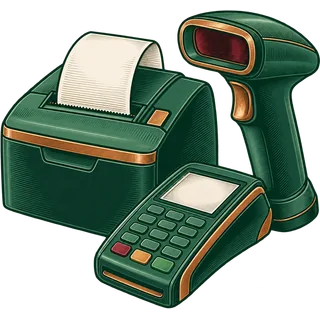 Essential
A 2D imager reads product UPCs and the PDF417 code on US driver’s licences for the age check. USB or Bluetooth, keyboard-mode (HID).
Examples: Zebra, Honeywell, Datalogic, Socket Mobile
 Essential
80 mm thermal ESC/POS printer, USB or network. It also kicks the cash drawer open.
Examples: Epson, Star Micronics, Bixolon
 Essential
Printer-driven (RJ11/RJ12) drawer that opens when a cash sale prints.
Examples: APG, MMF, Star Micronics
 Recommended
Thermal label printer for shelf tags and barcode labels on items without a UPC.
Examples: Zebra, Brother, DYMO
 Essential
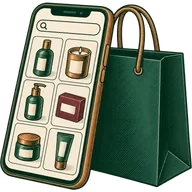
Any modern browser: Windows or Mac computer, iPad, Android tablet or Chromebook. A second screen can face the customer.
Examples: Any current device
 From your processor
Your card processor supplies the terminal. The register records the card payment; we never touch card data.
Examples: From your processor
| Store | Registers | Per register | Shared |
|---|---|---|---|
| Corner liquor store | 1 | Tablet or PC, 2D scanner, receipt printer, cash drawer, card terminal | — |
| Busy wine & spirits shop | 2–3 | Same as above | Label printer, a phone or tablet for stock counts |
| Two or more stores | 3–6 per store | Same as above | Label printer per store, a back-office laptop |
Card terminals come from your own processor. Integrations not listed here are "ask on your demo".
FAQ
A computer or tablet with a browser, a 2D barcode scanner that can also read ID barcodes, a thermal receipt printer, a printer-driven cash drawer, and a card terminal from your processor. A label printer is worth adding for shelf tags.
No. We tell you what works and you buy it from any reseller, or keep what you have. That way you are never locked to our hardware.
Most USB and Bluetooth scanners in keyboard (HID) mode work. To read the barcode on driver’s licences it must be a 2D imager; older laser scanners read only product barcodes.
ESC/POS thermal printers, 80 mm or 58 mm, connected by USB or network, including common Epson, Star Micronics and Bixolon models. Print a test receipt in the trial to be sure.
Yes. It runs in Safari. Pair a Bluetooth scanner and use a network receipt printer.
Most liquor stores do not. If you sell weighed deli items, scales and barcode-label scales are supported.
The one your processor provides. The register records the payment type and amount; card processing stays between you and your processor.
It needs an internet connection. Keep a backup connection, such as a phone hotspot, for outages.
Use the trial to test your current scanner and printer before you buy anything.
14-day free trial · no cardNo contract · cancel anytime
Features
 Age and ID check promptsThe register stops and asks for a date of birth or ID scan before any age-restricted item can be sold.
 Case and bottle pricingOne product, two units. Sell a case or a single bottle; stock always counts in bottles.
 Mix-and-match case discountsAny 6 or 12 wines from the shelf get the case discount automatically, with the rules you choose.Barcode catalogue importBring 5,000+ SKUs in from a distributor file or your old POS export, UPCs and all.
 Inventory by locationStock per store, transfers between stores, and adjustments with a reason on every one.
 State alcohol rules, your waySwitches for age prompts, deposits, discounts and staff permissions, set to the rules of your own licence.
 Purchasing and suppliersPurchase orders to distributors, receiving against invoices, and a running ledger per supplier.Loyalty and gift cardsReward points on every receipt, customer accounts, and gift cards your regulars actually use.
 Reports that close the dayEnd-of-day register totals, profit by category, slow movers and stock value, per store or all stores.
All pages
Features
ID checks
Case pricing
Mix & match
Catalogue
Inventory
State rules
USA & UAE
Compare
Blog
Help
Country · Language · Theme
Accessibility
Text size